PostNL API Data
Click on your PostNL account top right on your username. A dropdown opens in which you need to click on 'My account'.


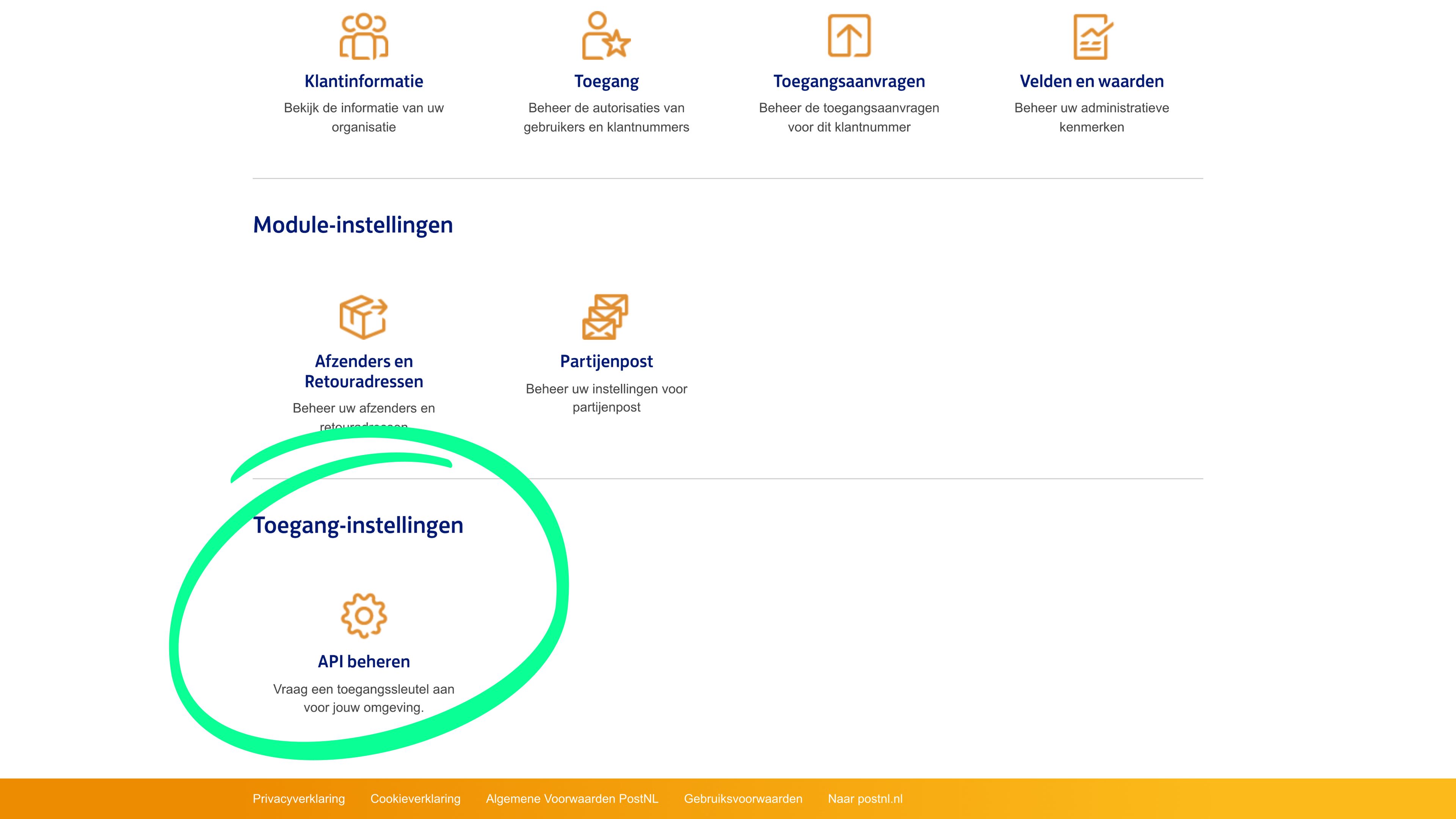
Once you have clicked on my account, scroll down until you find the API manage box under Access settings. Click on it.
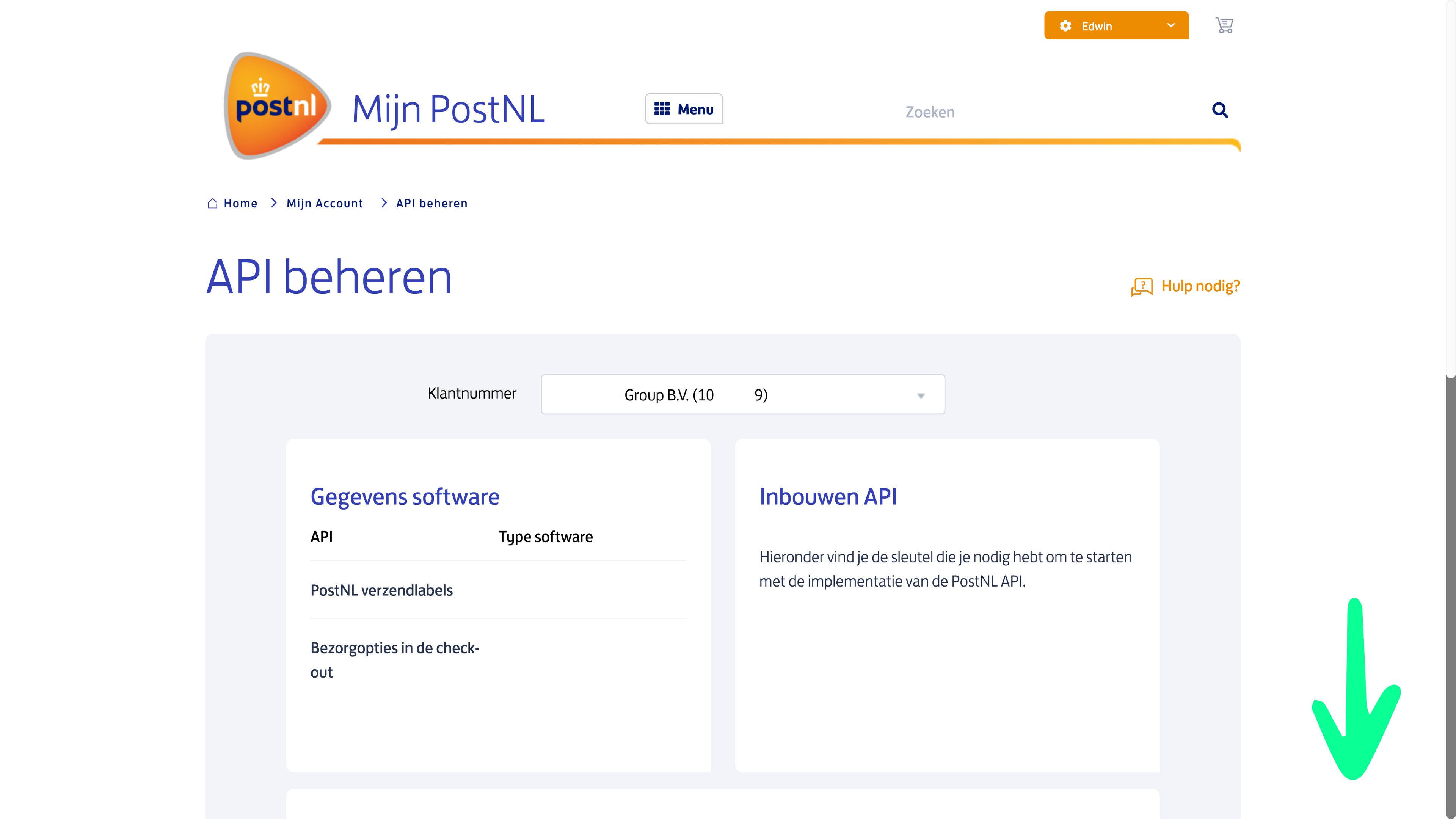
Scroll down until you reach the details of your API.
The details you then see are all required.
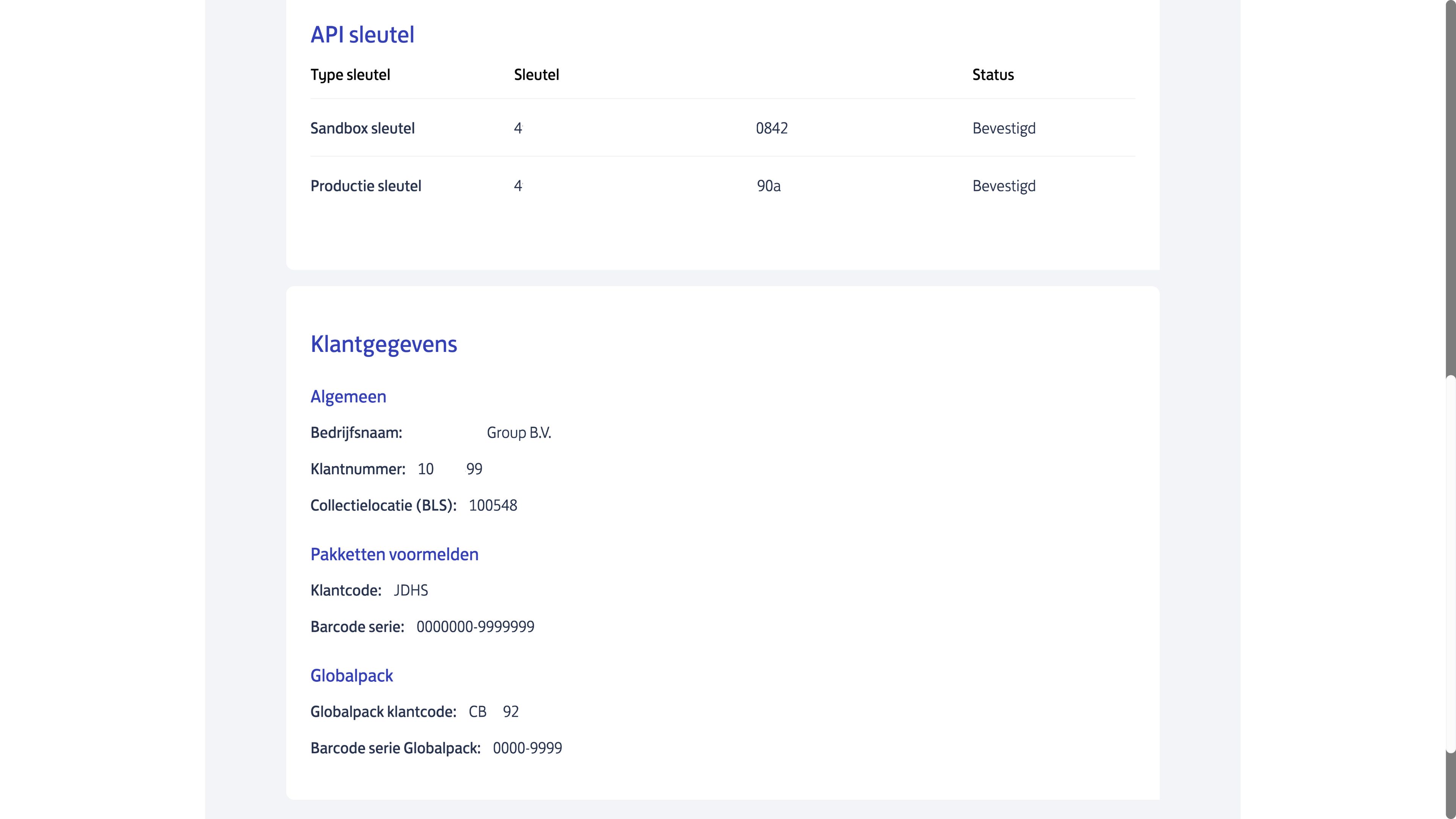
- Sandbox key
- Production key
- Customer number
- Collection location (BLS)
- Customer code
- Barcode series
- Globalpack customer code
- Globalpack barcode series